
AI toolsfor teachersthat save10 hoursevery week
Save hours of preparation and grading by letting Motqn handle repetitive work. Upload your textbook and get a lesson plan and PowerPoint presentation in minutes.
What changes with Motqn?
Before Motqn
Hours of research, slide design, question writing, and manual grading.
- Repeated effort
- Time lost
- Exhausting manual grading
After Motqn
A few minutes to upload the textbook and create a complete set of teaching materials.
- Preparation in seconds
- Instant automated grading
- Ready interactive presentations
Everything you need in one place
From preparation to assessment, Motqn covers the full teaching workflow.
Complete preparation.. directly from the textbook
Upload the subject textbook (PDF). Motqn understands it and generates term, weekly, and daily plans that follow its structure. Edit what you need, then export the plan as a PDF.
- Complete textbook analysis
- Plans generated in one click
- Instant PDF export
Professional consistent presentations
Replace uneven slide quality with interactive lessons generated in seconds, while keeping every presentation editable and classroom-ready.
- Consistent visual quality
- Reliable content generation
- Editable exports
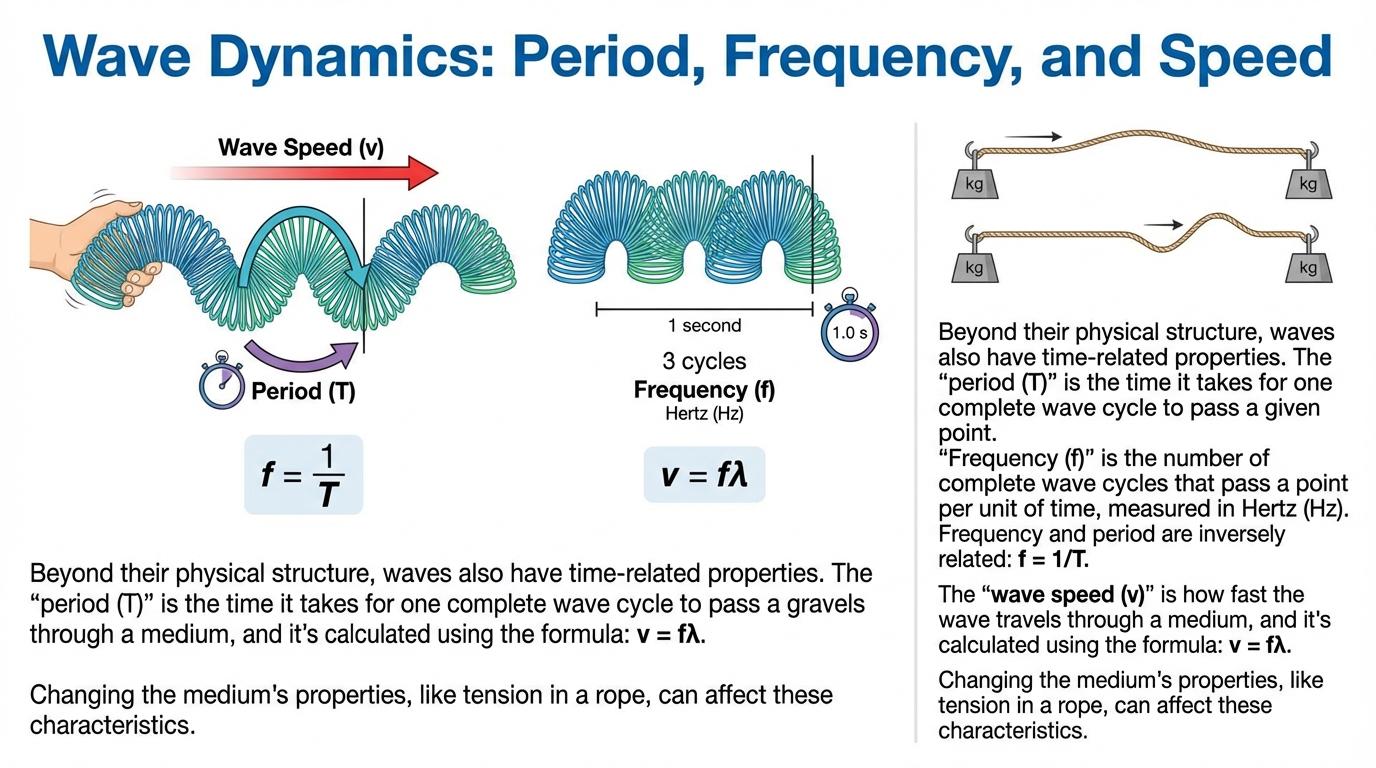
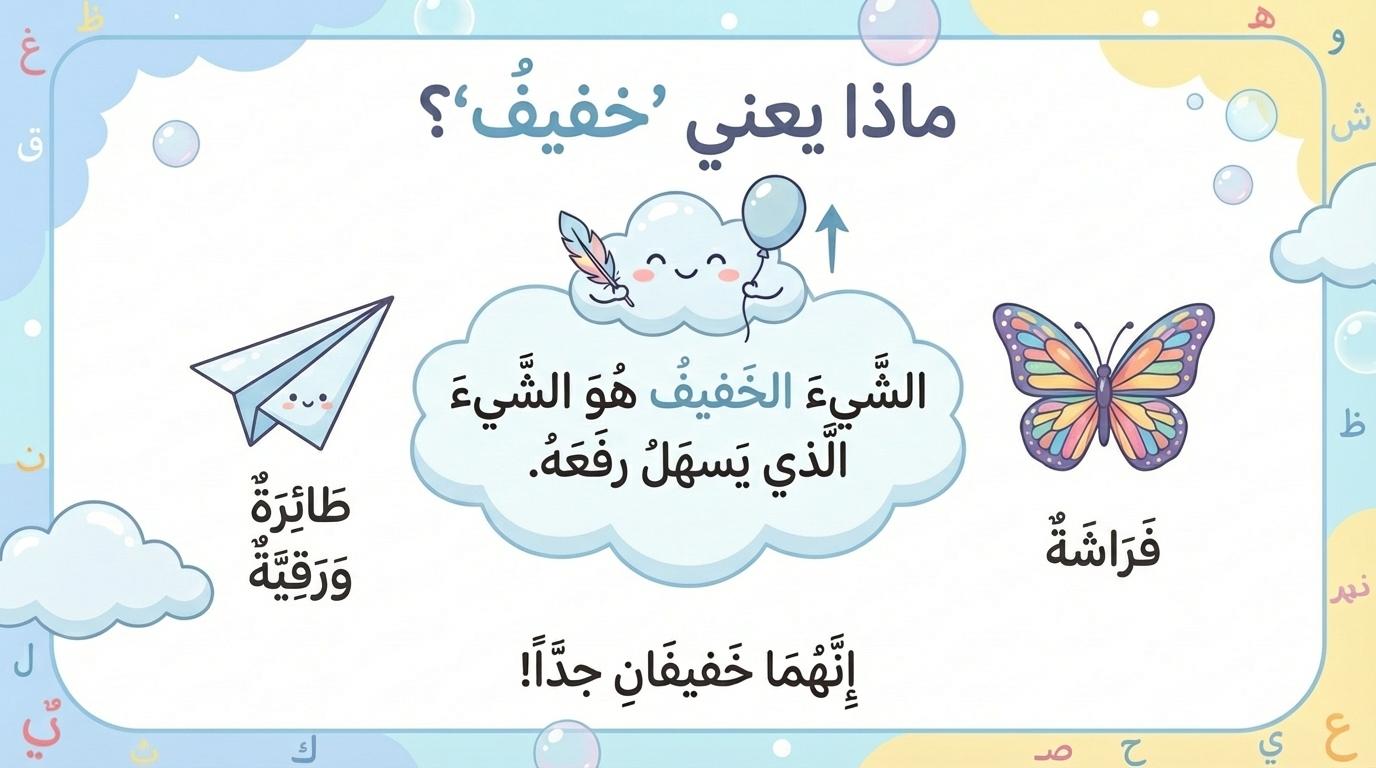
A smart assessment system
Turn any lesson plan into a balanced assessment. Choose difficulty and question types, then export an editable Word file or print-ready PDF.
- Word and PDF export
- Difficulty controls
- Multiple question formats
Numbers that speak for themselves
See how Motqn works
A short demonstration of turning a PDF into a plan, presentation, and assessment.

Presentations that amaze your students in seconds
These are not templates — they are real presentations created by Motqn with AI from real educational content. Upload your textbook and receive your presentation.
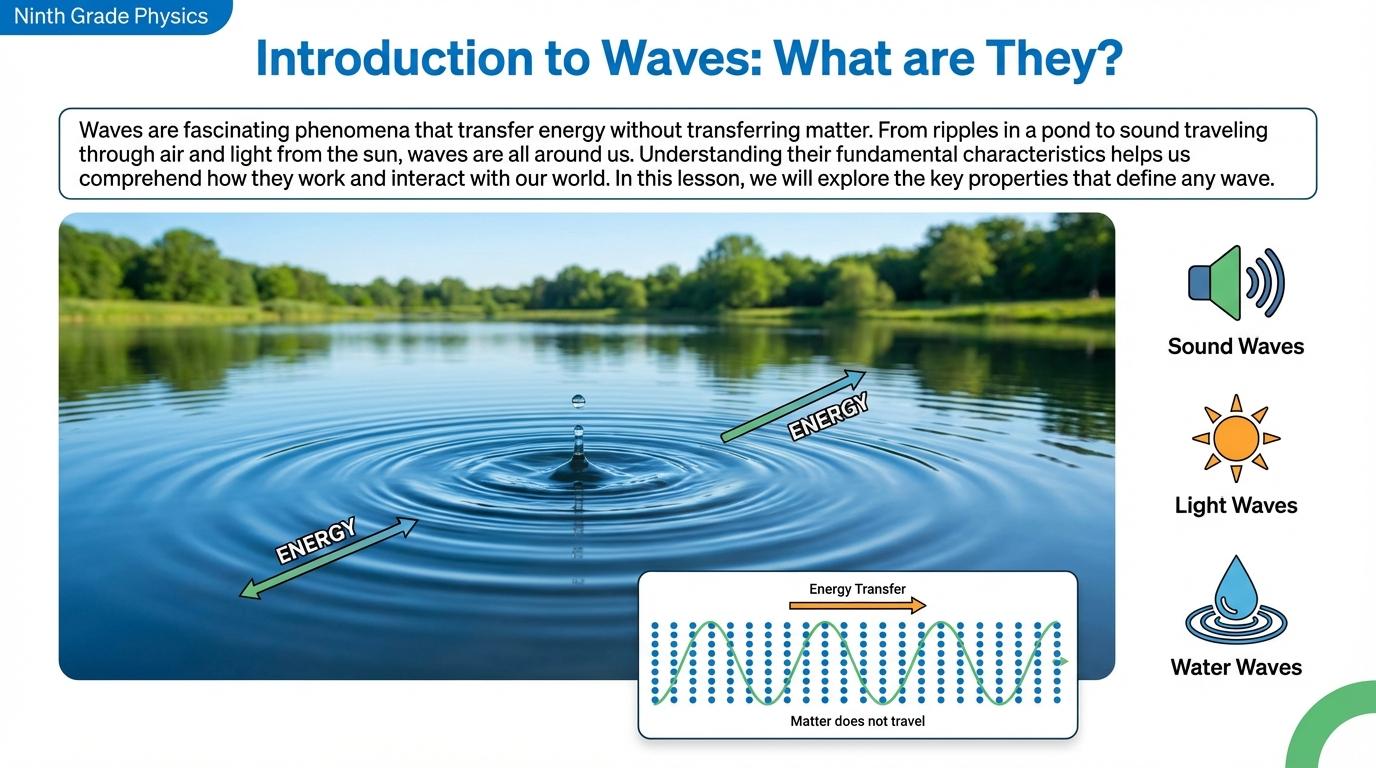
🖱️ Hover over the slides to pause autoplay
Comprehensive automated grading...
Fast, accurate, and secure.
Motqn grades in minutes, explains every score, and prepares a grade sheet ready for export.
How does it work?
- Upload the answer key
- Upload student papers
- Receive grades and explanations, then export the CSV grade sheet
What do you gain?
- Save substantial grading time
- An explanation for every score
- Export the grade sheet as CSV
100% high privacy
Student names and data are encrypted and stored securely in line with GDPR privacy practices.
Clear feedback
Motqn explains the score for every answer so you can review and audit quickly.
An intelligent assistant beside you...
through every teaching step
Your personal assistant is always ready. Ask about your plans, generate educational images, explain diagrams, or build precise rubrics for your assessments.
- Generate educational images and explain diagrams
- Build precise assessment rubrics
- Answer educational questions instantly
Make me a worksheet on fractions for grade 5.
I've prepared a 12-exercise worksheet with increasing difficulty, plus an answer key.
Worksheet12 exercises · ReadySimplifyMake it harderTranslateTalk to Tabshoura. Get your lesson built.
Your voice assistant for lesson prep: reads your files, draws with you, and builds your lessons while you talk.
Say what you need and watch the deck, the exam and the plan appear. Tabshoura Plus is the live voice mode of the Tabshoura assistant: you talk in your language, share your files and the board, and it builds your classroom materials in the background while the conversation continues.
Fractions quiz
10 questions · Ready
Water cycle · Grade 4
8 slides
English · Grade 3 · Semester
5 lessons/week · 5E
Open the planTalk
Pick a voice and a reply language, then speak naturally. It answers by voice in about a second.
Show
Attach files (PDF, Word, PowerPoint, images) or draw on the whiteboard. It sees both live.
Get
A deck, an exam, a plan, a worksheet or a game appears in the workspace next to the call, saved to your account.
What Tabshoura Plus does
Everything you need to prepare a lesson, by voice. Try saying:
Voice conversation in 97 languages
Natural spoken replies in under a second, with automatic switching when you change language. Runs on the latest live voice model.
«Answer me in Arabic even when I speak English.»
Reads your files from the first sentence
PDF, Word, PowerPoint, text and images, up to 100 MB per file. It knows the content immediately and builds from it.
«Make me a ten-question quiz on fractions from the file I uploaded.»
A shared whiteboard it sees and draws on
You draw, it watches live and draws back with shapes, arrows, labels and freehand. Undo its strokes separately whenever you like.
«Draw a number line on the board and mark the fractions.»
Builds while you talk
Presentations with generated slide artwork, exams, worksheets, exit tickets, parent messages, rubrics and teaching images, all in the background with spoken progress.
«Build an eight-slide presentation about the water cycle for grade 4.»
Study plans with your exact numbers
Semester, weekly or daily, with the semesters, weeks and lessons per week you set, and the lesson structure you prefer (standard, 5E, Gagne's nine events, or your own sections). Delivered complete and approved.
«Create a semester plan for grade 3 English, five lessons a week, using the 5E model.»
Interactive classroom games
2D games that run on screen right away, in editable versions you can save and share.
«Build a game where students catch the correct verbs.»
Edit by voice
Change a slide, a question or a game just by saying so. No menus, no regenerating from scratch.
«Make slide 3 simpler, and make the last three questions harder.»
Choose the voice and the style
Six voices with Arabic nicknames (Noor, Rashed, Layan, Sami, Huda, Majed), a reply language, and a preferred dialect or accent it follows as best it can: Modern Standard Arabic, Gulf, Egyptian, Levantine, British or American English.
«Use Huda's voice, with a Gulf dialect please.»
Pick up where you left off
Every Tabshoura Plus session is saved in your chat history with its own tag. Reopen it later and the conversation, the outputs and the whiteboard come back as you left them. It remembers what you built together and continues.
Fractions quiz for grade 5
Today
Water cycle deck - grade 4
Yesterday
Questions about the weekly plan
2 days ago
Message to parents
Last week
Fair and transparent usage
Tabshoura Plus is a premium mode that uses more of your plan than typed chat, with a notice before every session and a live usage meter during it. If your plan runs out mid-call the session ends safely and invites you to subscribe, and nothing is charged for a request that did not complete.
- Available on every plan, including free
- A live usage meter throughout the session
- Stays within education topics: a tool for teachers, not a student tutor
Requires a microphone and a modern browser. Works on phones with a stacked layout; the whiteboard is best on a larger screen.
Opens the Tabshoura page in the app. The glowing “Tabshoura Plus” button at the top starts the session.
A complete interactive ecosystem...
built to improve learning outcomes
Through its educational games section, Motqn provides a complete interactive ecosystem that improves student outcomes by using game elements as a deliberate teaching tool aligned with curriculum content.
Educational psychology methods
Designed to spark intrinsic motivation and reinforce knowledge in a way that keeps students coming back.
Direct curriculum alignment
A practical teaching tool that helps measure understanding and encourages active participation.
Continuous discovery and growth
Every teaching moment becomes an opportunity for genuine growth and discovery.
Plans for everyone
Choose the plan that fits your needs, whether you're an independent teacher or an education leader.
Motqn Lite
Prices are shown in your local currency automatically
All Motqn tools and features, with a monthly allowance that fits your usage.
- About 2 lesson packs per month
- All features and capabilities
- Generate plans, presentations, and exams
- AI exam grading
- Technical support and continuous updates
Motqn Basic
Prices are shown in your local currency automatically
All Motqn tools and features, with a monthly allowance that fits your usage.
- About 4 lesson packs per month
- All features and capabilities
- Generate plans, presentations, and exams
- AI exam grading
- Technical support and continuous updates
Motqn Pro
Prices are shown in your local currency automatically
All Motqn tools and features, with a monthly allowance that fits your usage.
- About 8 lesson packs per month
- All features and capabilities
- Generate plans, presentations, and exams
- AI exam grading
- Technical support and continuous updates
Smart usage calculator
Start with the number of lesson packs you expect to create each month, then add only the extra tools you use often.
Estimated lesson-pack equivalent
Your recommended plan:
Enter your expected usage to see a recommendation.
Comparison guides: AI tools for teachers, and how Motqn differs
Frequently asked questions
Clear answers to the questions educators ask most